
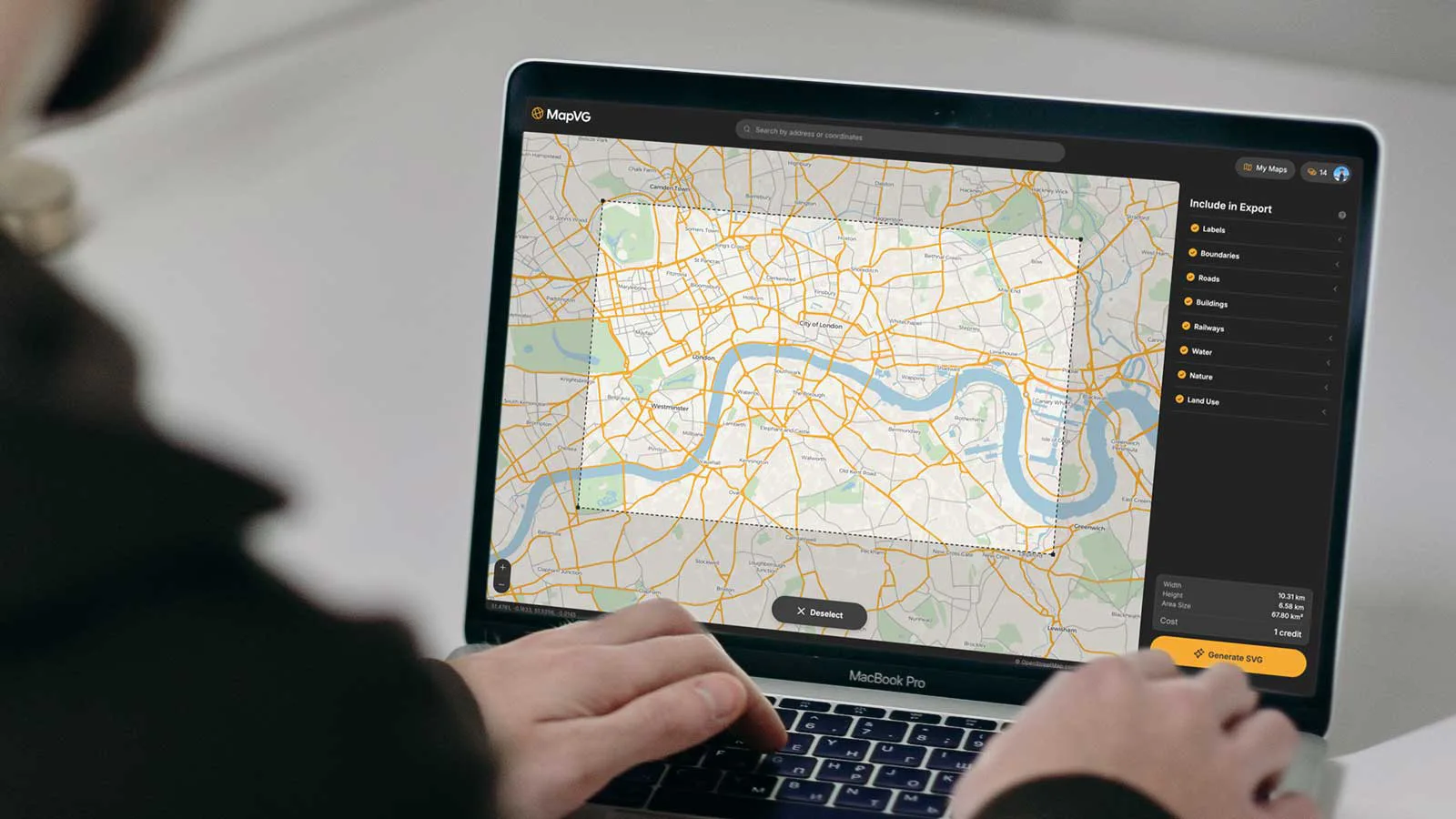
Getting a clean, editable map into Illustrator has always been harder than it should be. The geographic data exists (every road, river, and building outline on Earth has been drawn as a vector path) but accessing it meant screenshots, manual tracing, or paying for expensive licensed datasets that arrived as locked, un-editable files.
MapVG cuts through all of that and provides you with a fully editable SVG map, including named layers and live strokes – organised and ready to work with the moment it opens.
What is MapVG?
MapVG is a web-based vector map generator that converts up-to-date map data into clean, layered SVG files – ready to open in Illustrator, Affinity, Figma, or any design tool that handles vectors. Search any location on Earth, draw a bounding box around the area you need, choose your layers, and export. The whole process takes only a couple of minutes.
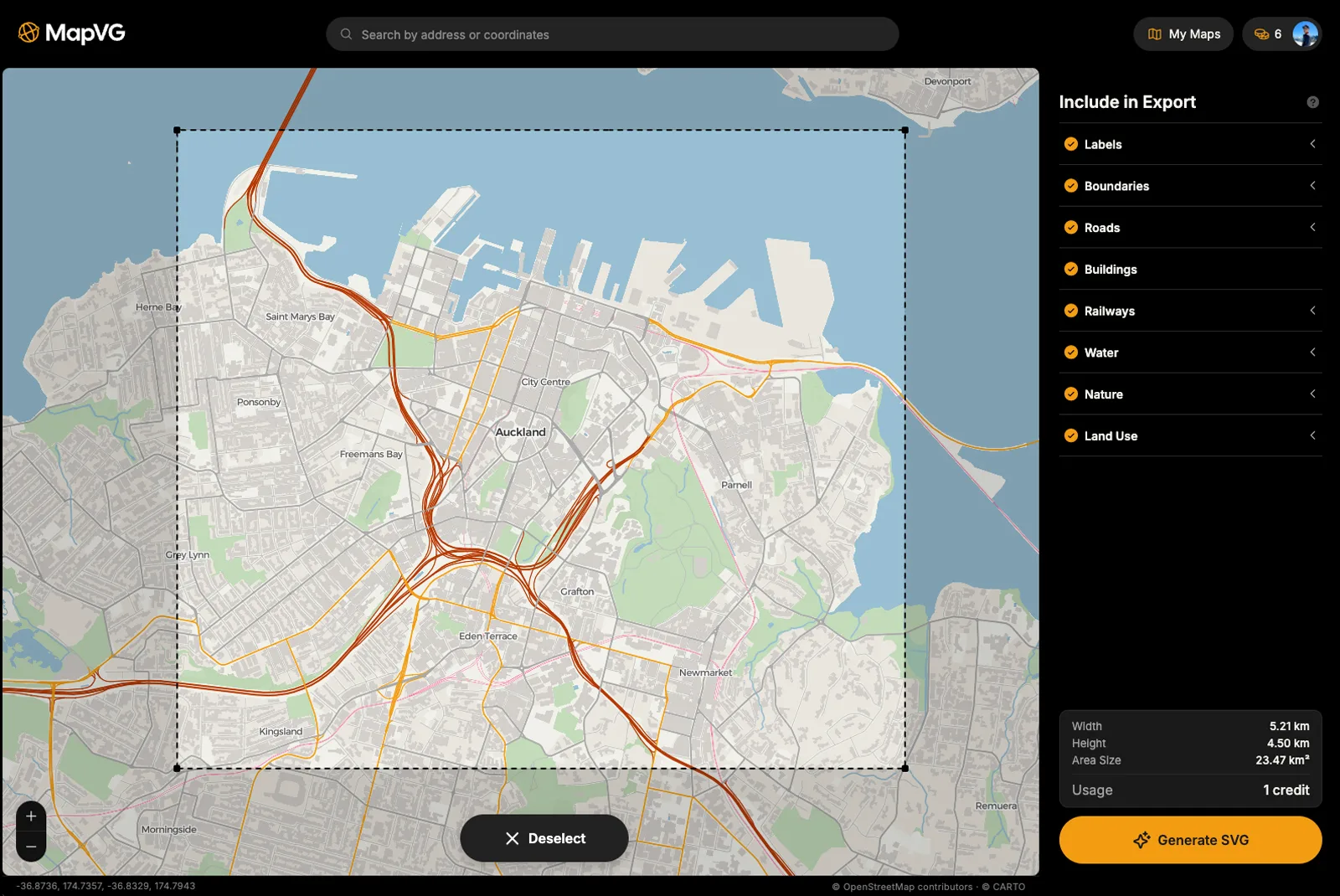
Quality SVG map output
Every MapVG export is a fully editable SVG file, complete with roads, waterways, green space, buildings, railways, and other map features, neatly organised in layers and sublayers – so you can start styling immediately without needing to shuffle or clean up anything.
Every MapVG export arrives with:
named, logically structured layers,
editable stroke paths for roads, tracks, and waterways (no outlined roads),
clean, accurate shapes for land, green spaces, and buildings,
high level of detail and production-ready quality.
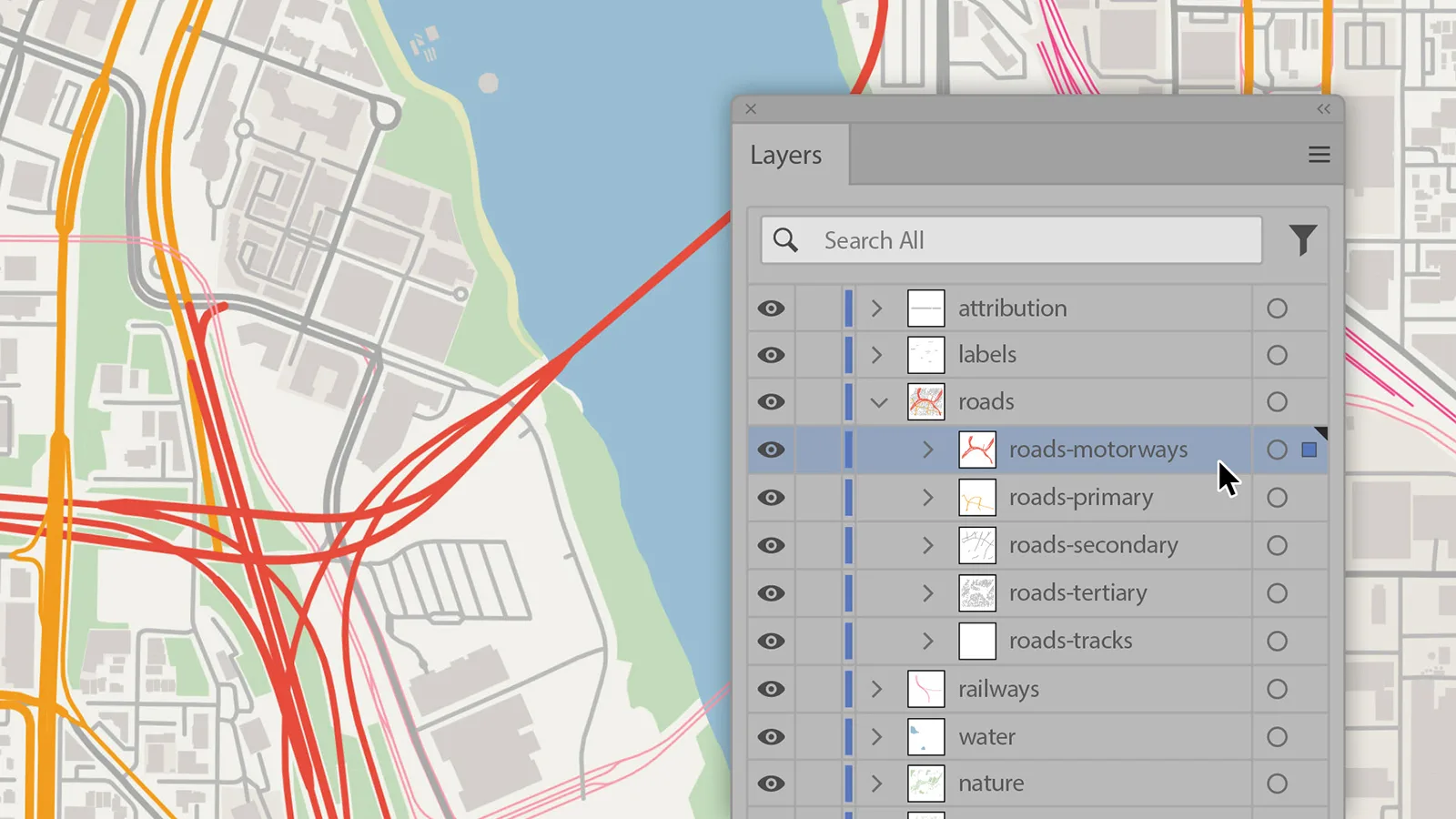
The output isn't a static image or a low-resolution raster export. It's a ready-to-use vector map, built from OpenStreetMap data – the same geographic dataset that powers some of the most widely used maps on the internet.
Who is MapVG for?
MapVG was designed for anyone who regularly needs editable maps as part of their work or creative practice:
Graphic designers who need accurate, scalable vector maps for print and digital projects,
CNC enthusiasts and hands-on creatives who want precise SVG maps for laser cutting and engraving,
Etsy sellers and print makers producing custom map art at scale,
Anyone who has ever wasted an afternoon tracing a map screenshot and never wants to do it again.
How does it compare to tracing maps manually?
The traditional workflow – screenshotting a map, placing it in Illustrator, and tracing roads and map features by hand – is slow, imprecise, and frustrating. Not to mention the serious licensing questions this method raises. Alternative tools exist, but most produce huge, messy files that require significant cleanup. Others are overpriced for what they deliver.
MapVG removes the headache with a single export. What used to take hours now takes seconds, and the result is a clean, accurate, affordable SVG map. No more tracing roads by hand.
Can I use MapVG outputs for commercial projects?
Yes, MapVG exports are licensed for personal projects, client work, commercial products, and everything in between.
OpenStreetMap provides the data MapVG is built on. It’s open, accurate, and free to use, but commercial projects require attribution under OSM’s Open Database Licence (ODbL).
For more information on using MapVG vector maps for commercial purposes, please read our licensing guide, which provides an overview of our licensing agreement.
Try MapVG for free
Ready to export your first map? Any area under 1 km² is free to export. No credit card required – just open the MapVG editor, create a free account, and generate your first editable SVG map anywhere on Earth.